DoppelGit lets you create pull requests, comments, and issues using different GitHub accounts—without logging out. Configure your doppels once, switch instantly.
Submit automated PRs through a dedicated bot persona without sharing credentials across CI systems.
Contribute to different organizations with their respective accounts—no browser profile juggling.
Create test PRs as a QA persona to simulate real review workflows without cluttering your main history.
Submit PRs on behalf of team members who are unavailable, keeping projects moving forward.
DoppelGit integrates seamlessly with GitHub's native UI while keeping your tokens secure.
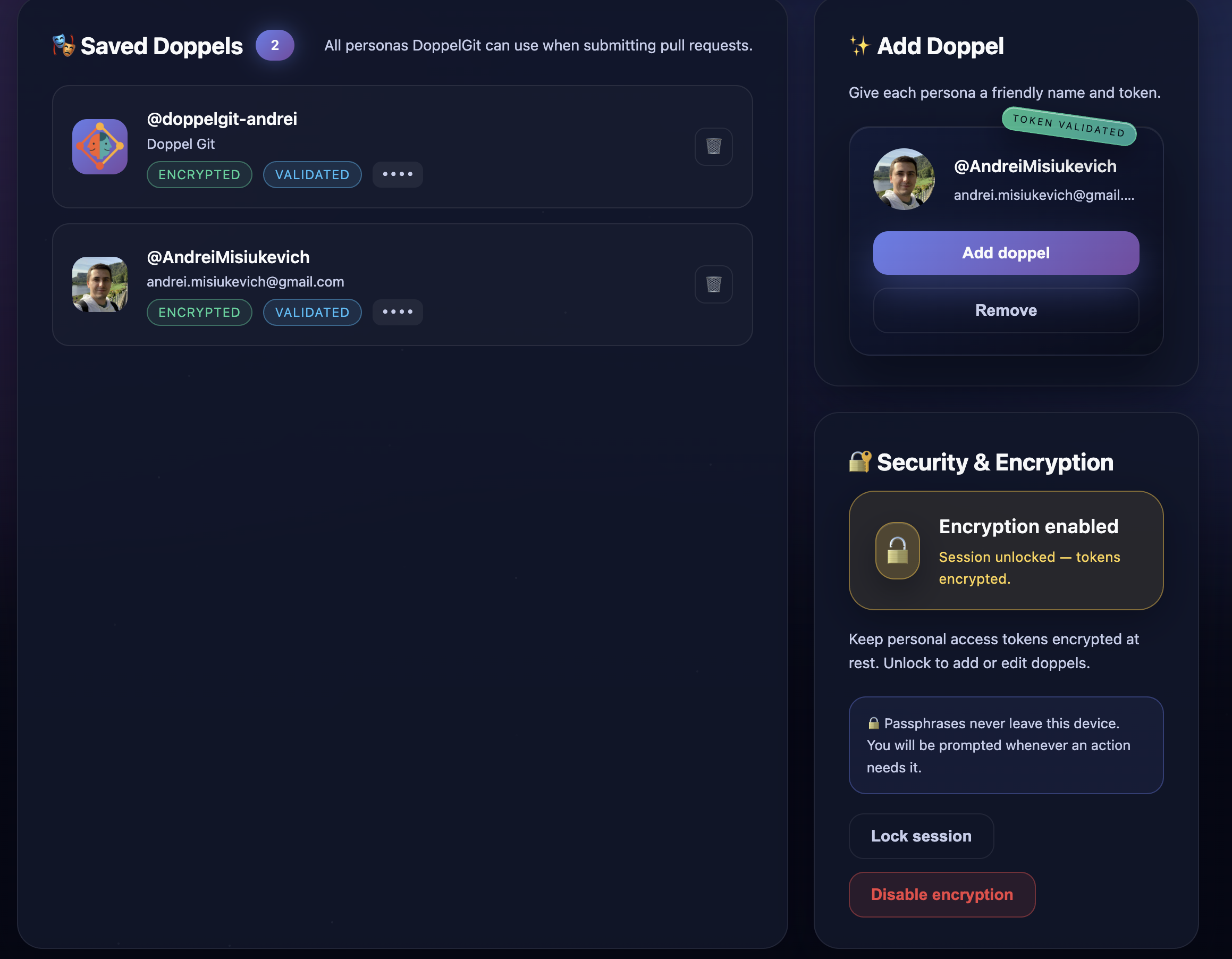
Configure as many personas as you need. Each doppel has its own GitHub PAT and friendly name for easy identification.
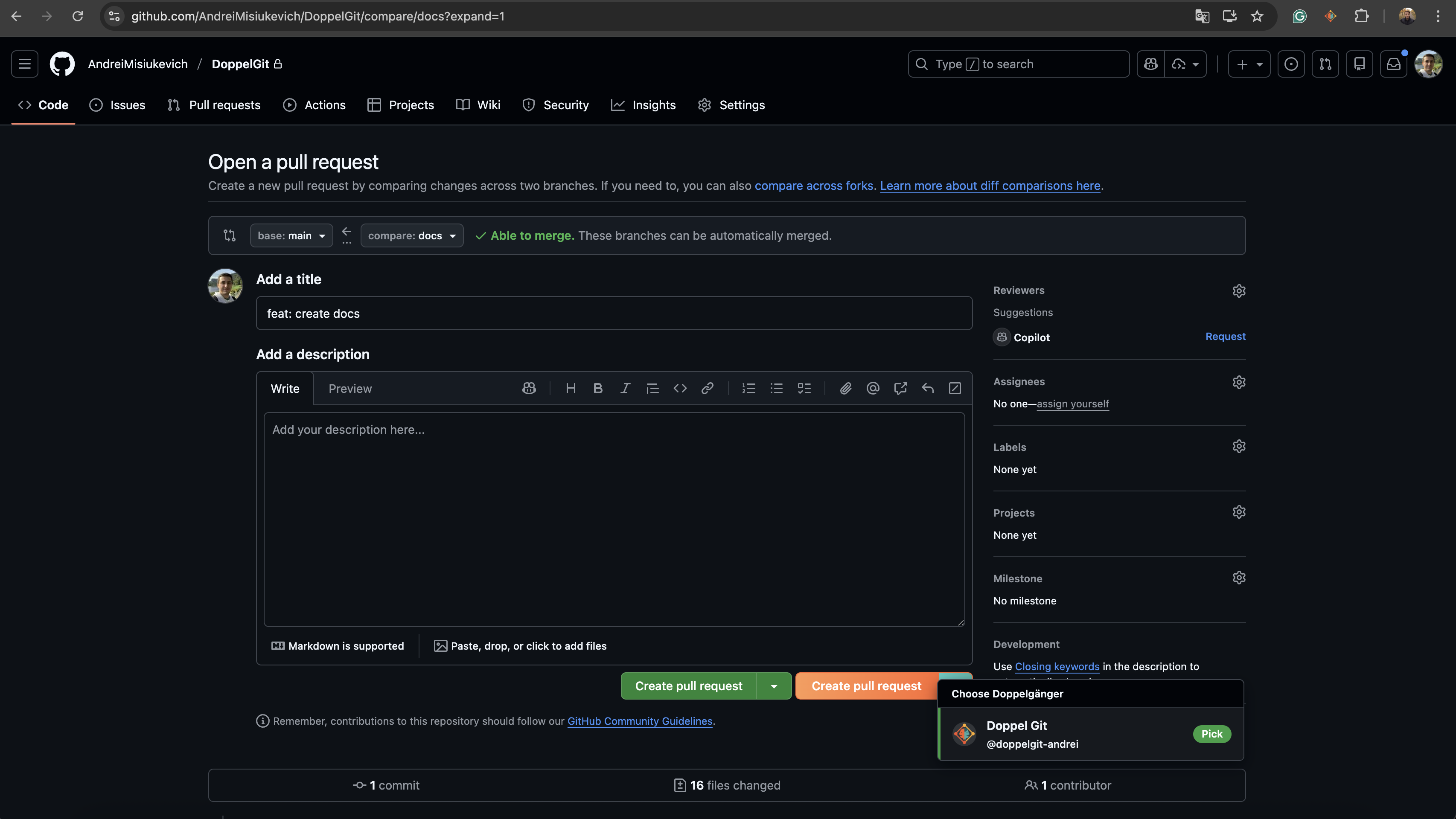
Create PRs as any configured doppel. DoppelGit injects a clean dropdown right into GitHub's native UI.
Post comments and code reviews as different personas. Perfect for QA feedback or team communication.
File issues using the right account for the right context. Keep personal and work contributions separate.
Validate PATs before saving. DoppelGit fetches the GitHub profile to confirm permissions and show who the token belongs to.
No clunky popups or separate interfaces. DoppelGit enhances GitHub's existing buttons with a seamless experience.
Get started in under 2 minutes. No server setup, no complicated config.
Watch a quick walkthrough of DoppelGit in action.
Add DoppelGit from the Chrome Web Store. Open the options page and create your first doppel by entering a GitHub Personal Access Token.
📸 Options page: Add Doppel form with token input
DoppelGit validates the token against GitHub's API, showing the profile it belongs to. Confirm and save your doppel.
📸 Options page: Profile preview after validation
Navigate to any GitHub PR/issue page. Use the DoppelGit selector to choose your identity and submit. Done!
📸 GitHub PR page: DoppelGit dropdown + submit button
DoppelGit is built with a zero-trust architecture. We never see, store, or transmit your credentials.
PATs are stored in Chrome's extension storage on your device. They never hit any external server.
Enable passphrase-based encryption (AES-GCM + PBKDF2) to protect tokens at rest.
DoppelGit calls GitHub's API directly from the extension. No proxy, no middleman.
Encrypted tokens are cached for 15 minutes per tab and automatically cleared on lock or tab switch.
Install DoppelGit today and start submitting PRs as any persona in seconds.
No credit card required for the Free plan.